Blogs
You can't secure what you can't see
Jan 14, 2026
Tycho Klessens
You can't secure what you can't see
14/01/2026
—
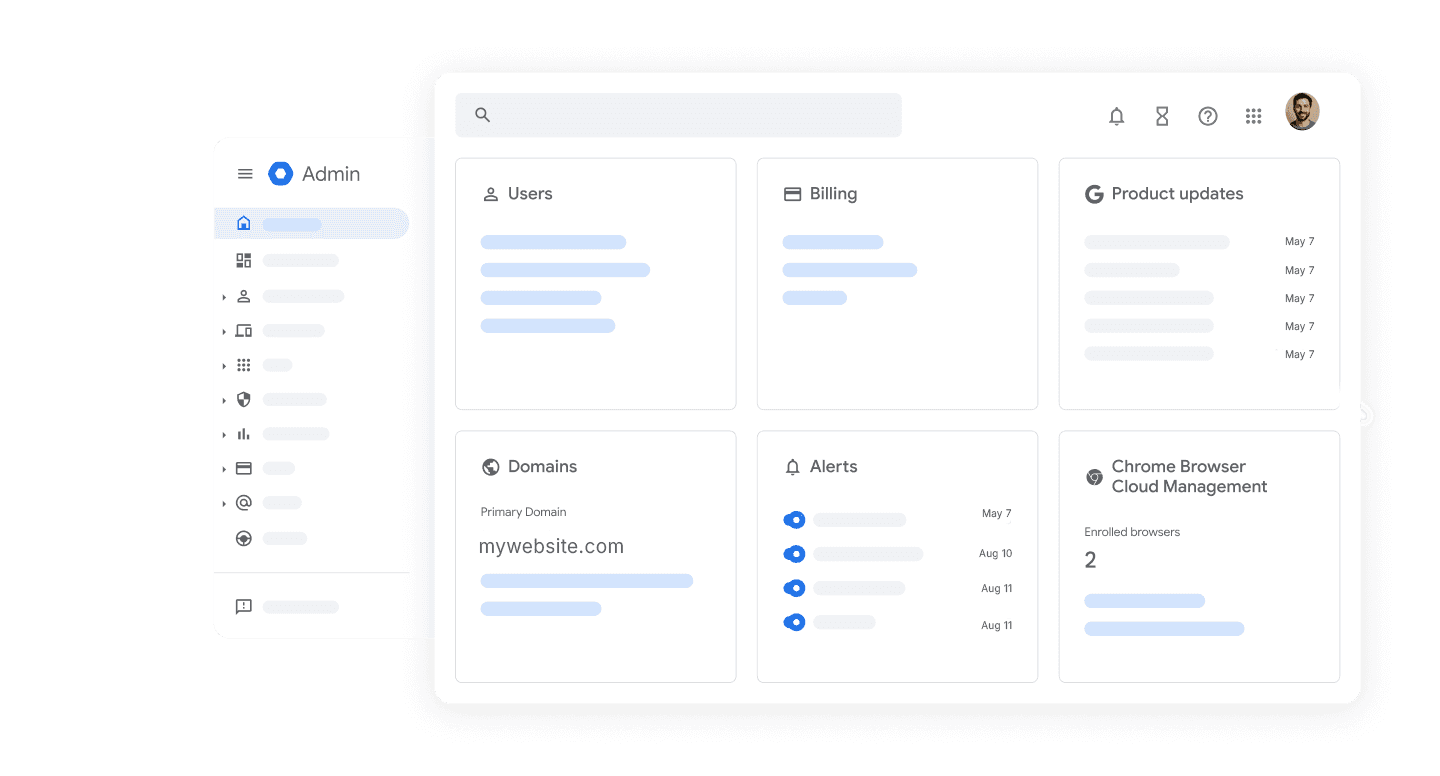
Your IT admin opens the Google Workspace admin console. Everything looks fine. No alerts. No warnings. Nothing to seemingly worry about.
But here's what they can't see:
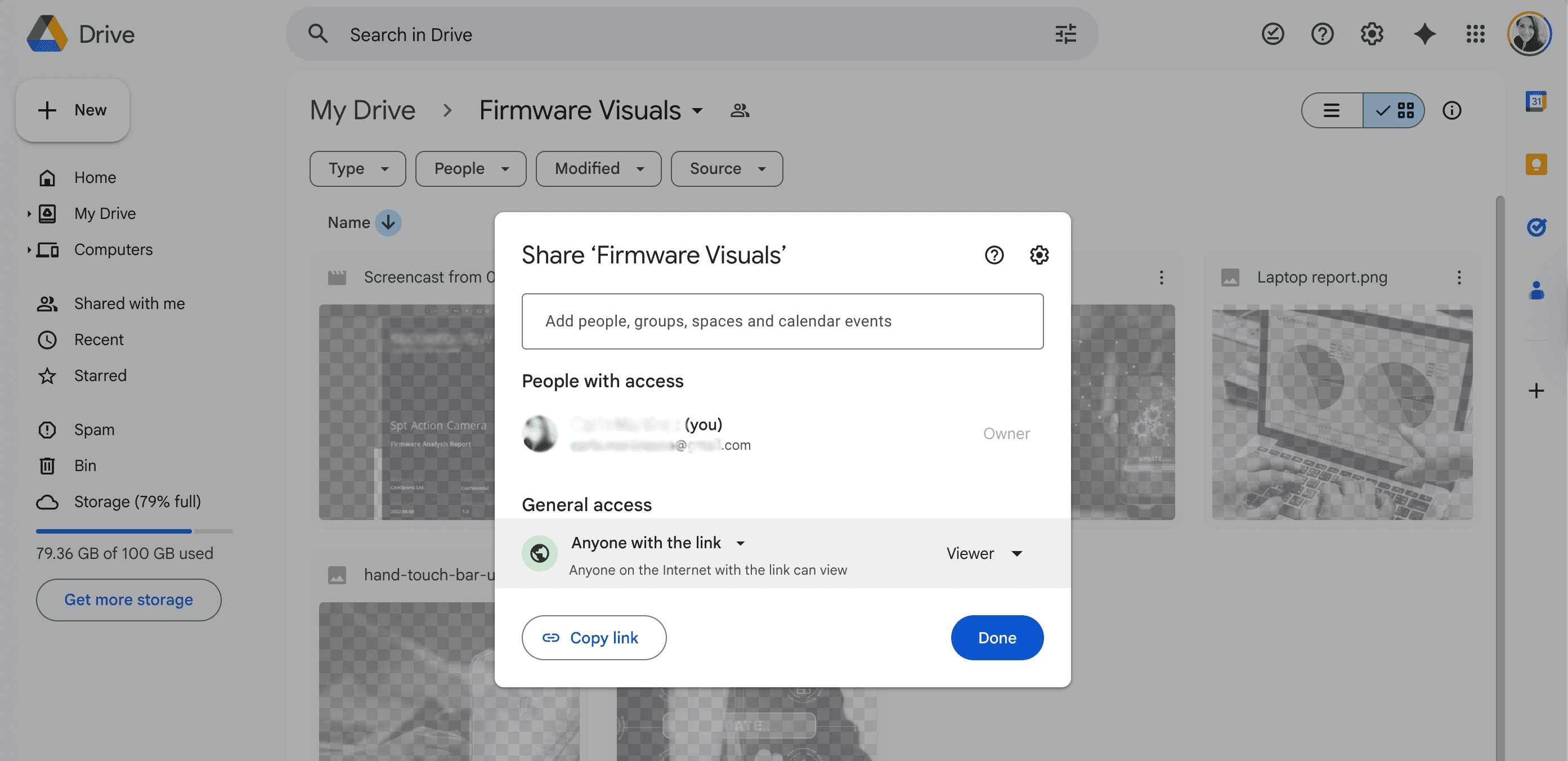
A file marked "Q4 Financial Forecast" shared with "anyone with the link" for the past eight months.
An ex-employee who left 6 months ago still has edit access to your client database.
A marketing team member connected an AI tool last week, which now has admin permission to the team members' Workspace.
A contractor who has finished their project can still download everything in the shared project folder.
Google Workspace wasn't built to show you these things. The admin console shows you high-level settings. User accounts. Storage limits. It’s very limited what it shows regarding your exposure, and it doesn’t give you the power to set policies to prevent any of the above risks.
And what you can't see is exactly what puts you at risk.
That’s why I am writing a series of blogs to point out some of the things that you don’t know about that you or your team might be missing. Because I keep seeing this during the demos and conversations I have every day with founders, CTOs, CISOs, and IT managers…So I decided to write down some of the patterns I have noticed. In the first blog: Security isn’t something you should risk playing with, I wrote a bit about the mindset behind security and why quiet risks get ignored.
This one goes a bit deeper into visibility and why it should be the foundation for your security layer. You would be surprised by the number of Workspace issues I encounter that start because you can’t see what’s actually happening.
I hope you find them useful and get more insights about how to get full visibility and control over your Google Workspace.
The things Google won't show you
Google makes collaboration easy. That's the point. But with that easy collaboration also comes risk, because even though Google has built-in security, there are still gaps that can be exploited.
Here are a few examples of what could be happening in your Workspace right now that you might not be able to see.
Public shares that never expire.
Someone shares a file using "anyone with the link" to send to a client. The project finishes. But the link never expires. No one turns it off. Six months or six years later, it’s still live. Anyone who has that link can access it. Now imagine this inside a software or tech company where teams move fast. A designer sends a prototype to an external agency. An engineer shares API documentation with a contractor. A product manager sends a spreadsheet to a vendor. All of it using “anyone with the link.” Months later, the file is still open to anyone who has ever received it…or forwarded it. For organizations building products, handling customer data, or storing intellectual property, these public links become silent exposures. Once a link is out there, anyone can open it. And without visibility, nobody knows by whom, when, or why.
Former employees who still have access through the back door.
‘Offboarding’ happened. But did it really take place?
Did all licenses get suspended? And what about access to those Google Docs and Sheets they were added to? Still accessible. The shared Drive folders? Still there. The data is still reachable. And most importantly: still downloadable. Former employees can still download those files. Save copies to their personal devices or accounts and/or upload them elsewehere. All without breaking in.
This is how former employees keep access through the back door. Not by hacking, but by inheritance. Through overlooked permissions that quietly outlive their contracts.
Imagine the consequences for organizations with high turnover, for example, in the hospitality sector, where staff come and go every season. Each temporary worker who swings by leaves a trail of access and permissions that, if you don’t have an automated system to do it on the spot, nobody has time to clean up, and if they do, it takes hours per person. And those hours? They pile up.
Stale permissions that pile up.
Every time someone shares a file, a permission gets created. Every time someone adds a collaborator, access gets granted. But when the project ends? When the person leaves the team? When the client relationship ends? The permissions stay. They don’t clean themselves up. They stack up: layer after layer of access that nobody remembers granting and nobody thinks to revoke. Organizations like universities or other educational institutions face this every academic cycle. Students graduate. Research teams dissolve. Guest lecturers move on. But their access to shared drives, research folders, course materials, and admin docs, often remains active for years. Each academic cycle adds more unrevoked permissions. It’s not A breach waiting to happen. It’s dozens of them…because nobody has time to review them one by one.
Apps granted access without a second thought.
An employee installed an app to help them be more productive. It requested additional scopes to access their Drive, Gmail, and Calendar. They clicked "Allow" without thinking twice. The app is now connected. Did they check beforehand what permissions they were granting the app? Is anyone tracking?
When you use Google Single Sign-On (SSO) to log into a third-party app, you are essentially using your Google "ID card" to prove who you are without creating a new password.
Here is the breakdown of what "Admin Rights" or "Admin Consent" means "admin rights" and exactly what data you are handing over when you see them referenced regarding SSO:
- Admin Consent (Most Likely): This is when your company's IT admin "approves" an app for everyone. Instead of every single employee clicking "Yes, I share my data," at the moment they will start using the app, the Admin has already clicked on "Yes" once on behalf of the whole organization.
What that does is that it bypasses the consent screen any of the individual employees would normally see. That means that the app gets access to your data automatically because your boss/IT department said it was okay and approved it.
- Admin Privileges (Less Likely for standard users): This means the app is asking you for the ability to manage your Google Workspace. When you approve it, you are basically granting it permission to create new users, reset passwords, etc. Unless you are an IT pro setting up a specific management tool and you already ran all the security checks on it, you should never grant this to a third-party app.
So, what access are you actually giving the app?
When you click "Log in with Google," you are not giving the app your password. But you are giving them a "token" (like a temporary key) that allows them to fetch specific data.
That data that you give them falls into two buckets:
A. The Basics (Almost Always Shared)
99% of apps will always request these three standard items. This is often called "Basic Profile" access:
1. Your email address: So they can create an account for you and send you notifications.
2. Your name: To address you properly (e.g., "Welcome, John").
3. Profile pic: To display your avatar in their app.
B. Extended Permissions ("Scopes")
Some apps ask for a lot more than just your name, email and pic. So, this is where you need to be really careful and stay alert when you are going for SSO.These apps might ask for permission to:
1. Read your calendar: To schedule meetings (e.g., Calendly, Zoom).
2. Access Google Drive: To save or open files (e.g., DocuSign, Slack).
3. Send Emails on your behalf.Even though SSO is very convenient, it's super dangerous if you are not aware what you're signing up for. In 2024, 58% of security executives reported being impacted by a SaaS breach, many involving OAuth-connected applications with excessive permissions. Imagine the consequences for an organization whose regulated data lives in its Workspace, such as a fintech company or a bank storing customer records, transaction details, and/or internal reports. One over-permissioned app isn’t just a technical risk. It creates a huge compliance exposure that nobody noticed. One that can stay hidden until an auditor or an incident forces it into view. And with teams installing new tools every week, these gaps spread fast.
AI tools that see everything.
Your team is using ChatGPT, Claude, Gemini, or any other AI assistant. Some connect via OAuth and get broad access to emails and files. Others don't connect at all. Employees just copy sensitive information and paste it into the chat. According to LayerX Security’s Enterprise AI and SaaS Data Security Report 2025, 77% of employees paste data into AI tools, and more than half of those include corporate information. In 2024, 63.8% of ChatGPT users relied on the free tier, which explicitly trains on customer data. Think of what this means for organizations. Healthcare teams sharing patient details, tech companies pasting source code, and financial firms uploading transaction data. All leaving your environment. No tracking. No controls. No visibility.

Google's tools won't flag any of this. Because technically, nothing is "wrong." The system is working exactly as designed…For easy collaboration, not for showing you where the risks are.
Why visibility is the foundation
You can have the best security policies in the world. You can train employees on data protection. You can invest in compliance programs.
None of it matters if you can't see what's actually happening.
Compliance frameworks understand this. GDPR in Europe requires that you demonstrate how you're protecting personal data. You need to show who has access, why they have access, and how long they've had it. DORA, the Digital Operational Resilience Act in the EU, requires financial institutions to have continuous visibility into their ICT risk. HIPAA in the US requires healthcare organizations to maintain audit trails showing who accessed protected health information. Zero-trust security models are built on the same principle. Never trust. Always verify. But you can't verify what you can't see.
Visibility isn't a nice-to-have feature. It's the foundation on which everything else is built.
What complete visibility actually gives you
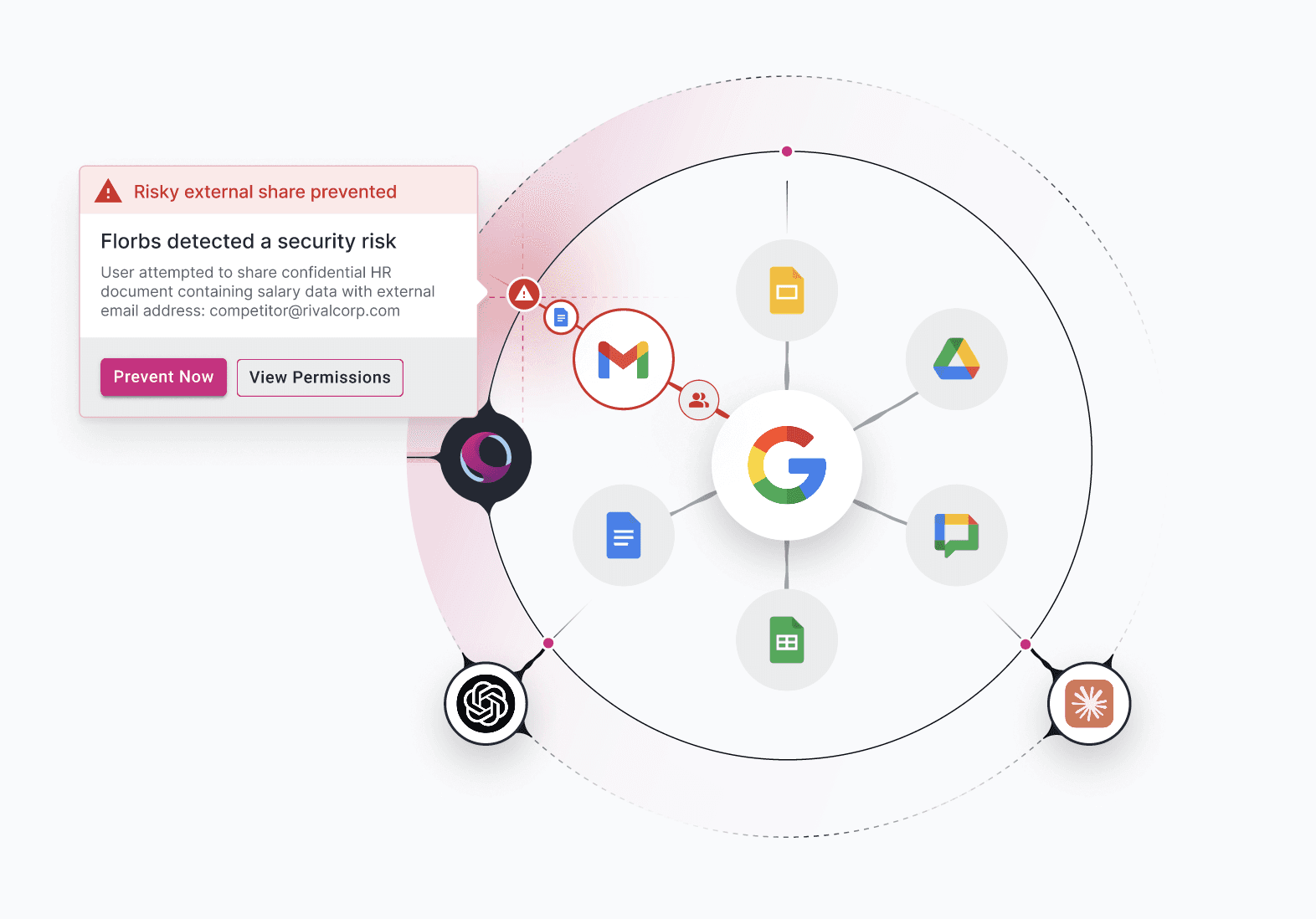
With Florbs, you see your Google environment in one clear actionable overview.
Every file shared publicly. Every person with access to sensitive data. Every OAuth app connected across your organization. Every permission that should have been revoked but wasn't. Every exposure that's been hiding in plain sight.
You see it in one place. In real time. Without running manual audits or checking each department separately.
When someone shares a file with "anyone with the link," you know immediately. When an employee connects an AI tool with risky permissions, it's flagged. When a former employee still has access after offboarding, you see it. When sensitive data is exposed, you get an alert before it becomes a breach.
That's what visibility means. Not finding out after the damage is done. Seeing the risk while you can still fix it.
See what's really happening
You can't protect what you can't see. And right now, there's a lot you're not seeing.
Florbs gives you complete visibility across your entire Google Workspace. You'll discover the risks that have always been there, hidden. You'll close the exposures before they turn into breaches. And you'll finally have the proof regulators and auditors actually require.
Stop managing your security blind. Let us show you how it works.
Want to know more about Florbs?
Would you like more information about what Florbs is all about? We’d be happy to share more.
👉 Contact us or Schedule a demo